Example package
Daily report script
Reports from two or three systems downloaded, merged and emailed every morning.
You get
- Script that pulls each source
- Merged report in Excel or Sheets
- Scheduled run and email delivery
- Failure alert and a run log

We write Python scripts and small tools for the jobs that eat someone's afternoon: processing files, pulling data from APIs, generating reports, and running on a schedule. Delivered tested, documented, and running where you need it.
Tell us what you needSee typical projectsScoped in writing, built in your accounts, handed over with docs.

What we hear from businesses before a project like this starts.
The requests that come up most often for this kind of work, and what each one takes to work properly.
A script that runs on someone's laptop packaged and moved to a small cloud service your website or system can call.
Folders of CSV, Excel, PDF or images renamed, converted, merged or checked in one run.
A job that pulls from a service's API and writes to a sheet, database or file every hour or day.
A command-line tool, a simple web form or a desktop app that does one task with a few inputs.
A packaged installer, signed with a code-signing certificate so Windows SmartScreen stops warning users.
Someone else's script read, repaired, given error handling and documented.
Tools that come up most: Python, pandas, requests, FastAPI, Flask, Google Cloud Run, AWS Lambda, cron, Docker, PyInstaller, Windows code signing.
Concrete pieces, each one something you can open and check when it's done.
Scripts that run on a schedule in the cloud, with logs and a failure alert.
cron, Cloud Run jobs, AWS Lambda, GitHub ActionsSmall services that pull from or push to the APIs your business already uses.
requests, FastAPI, webhooksBulk conversion, renaming, merging and checking of files.
pandas, openpyxl, pypdf, PillowTools with a few inputs and one clear output, packaged for the people who use them.
Click, Tkinter, PyInstallerA script wrapped as a small private web service your site or system can call.
FastAPI, Cloud Run, DockerTests for the important parts, and a README a new person can follow.
pytest, READMEExample packages to show the shape of the work. These are examples, not past clients; yours gets its own written scope.
Example package
Reports from two or three systems downloaded, merged and emailed every morning.
You get
Example package
A working local script turned into a private cloud service that your website calls when needed.
You get
Example package
A tool that processes a folder of files the way your team does by hand.
You get
Example package
Your Python tool packaged as a Windows installer and signed, so it installs without warnings.
You get
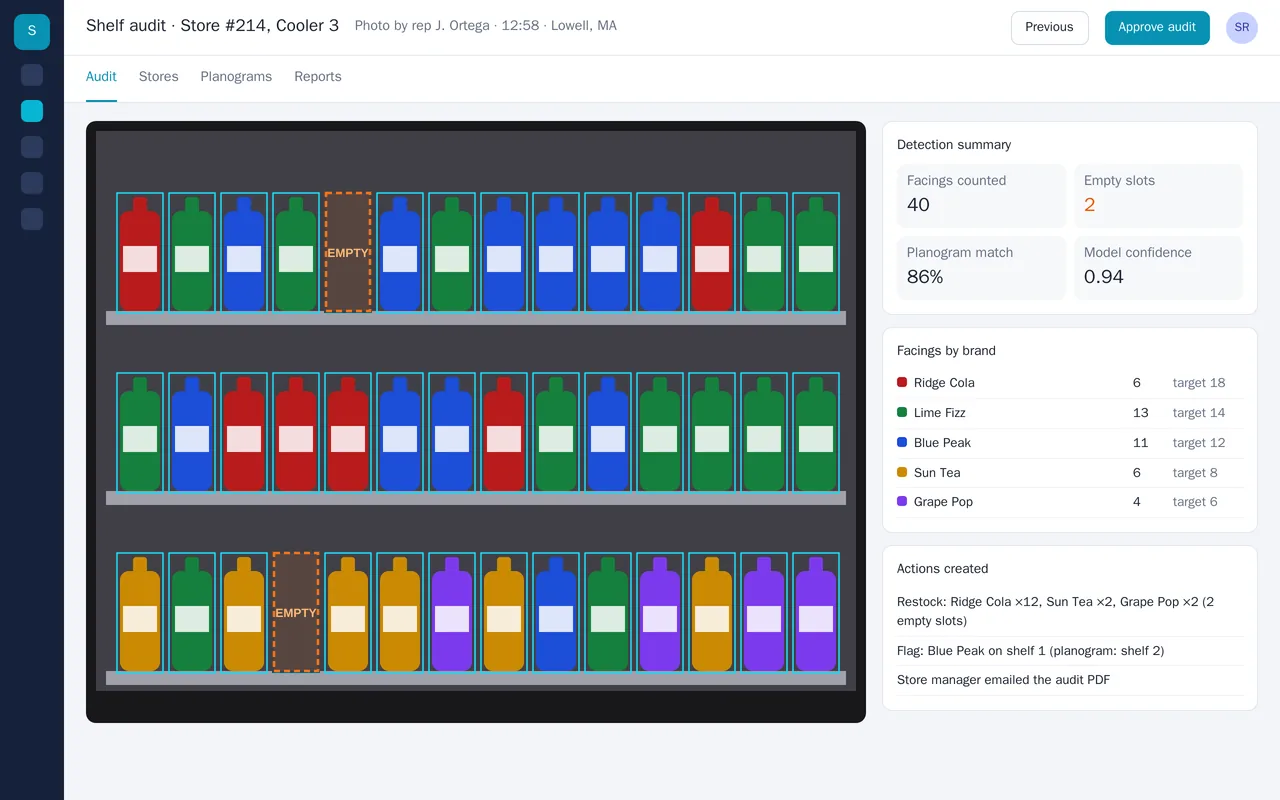
A beverage distributor's field reps were counting cooler facings by hand at 200+ stores. We built a computer-vision pipeline that works from a single phone photo. It detects every bottle, identifies the brand, counts facings per shelf, finds empty slots, and compares the shelf to the store's planogram. Reps get the result in seconds. The system creates restock orders for short brands, flags misplaced products, and emails the store manager an audit PDF.
Python, PyTorch, YOLO object detection, OpenCV, FastAPI, PostgreSQL, React, React Native
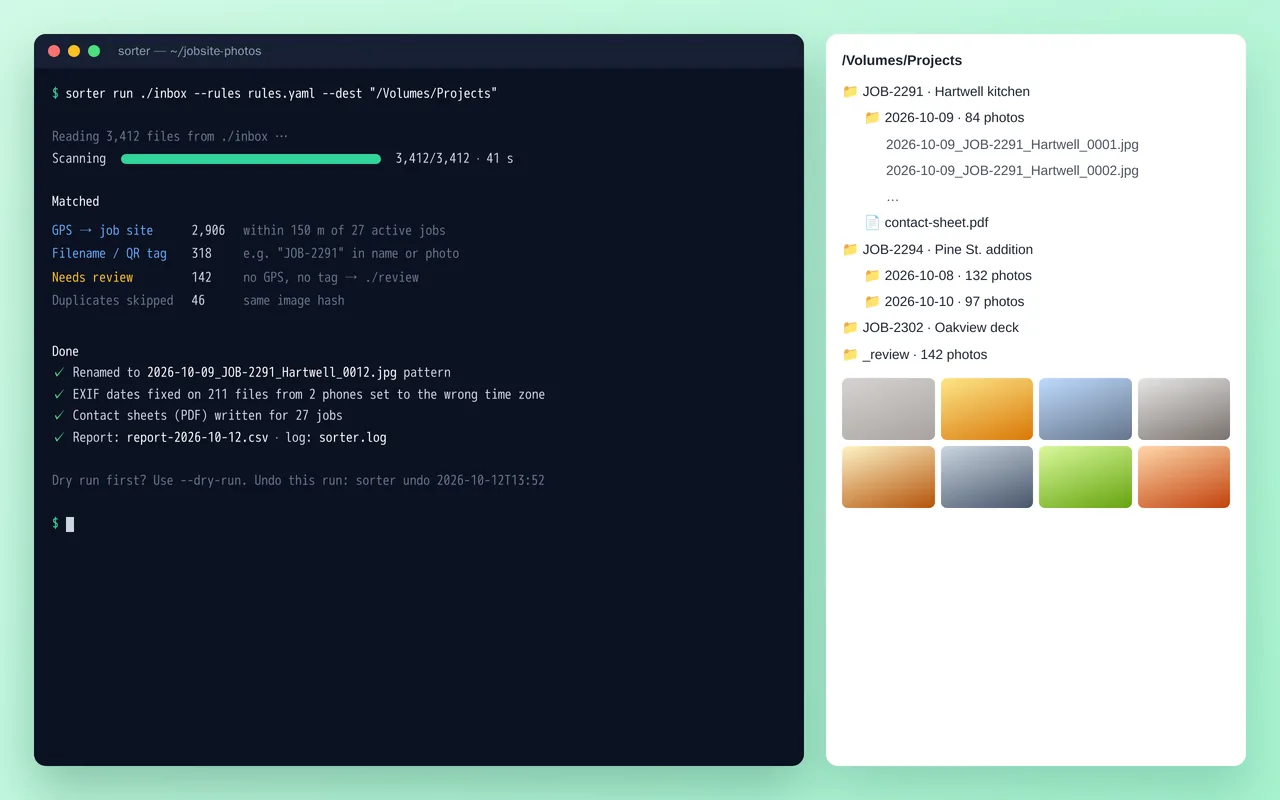
A renovation contractor's crews were sending thousands of phone photos a week into one shared folder, and the office spent hours sorting them by job. We wrote a Python command-line tool that sorts them automatically. It matches each photo to a job from its GPS location or a job tag in the filename or a QR code in the shot, fixes wrong camera dates, renames everything to a standard pattern and files it by job and day. It skips duplicates and builds a PDF contact sheet per job. Anything it can't place goes to a review folder, and every run can be dry-run first or undone.
Python 3.12, Pillow, piexif, pyzbar (QR), ReportLab, Typer, Rich, PyInstaller
A working example we built to show this kind of work. It is a demonstration, not a client project.
Sample build
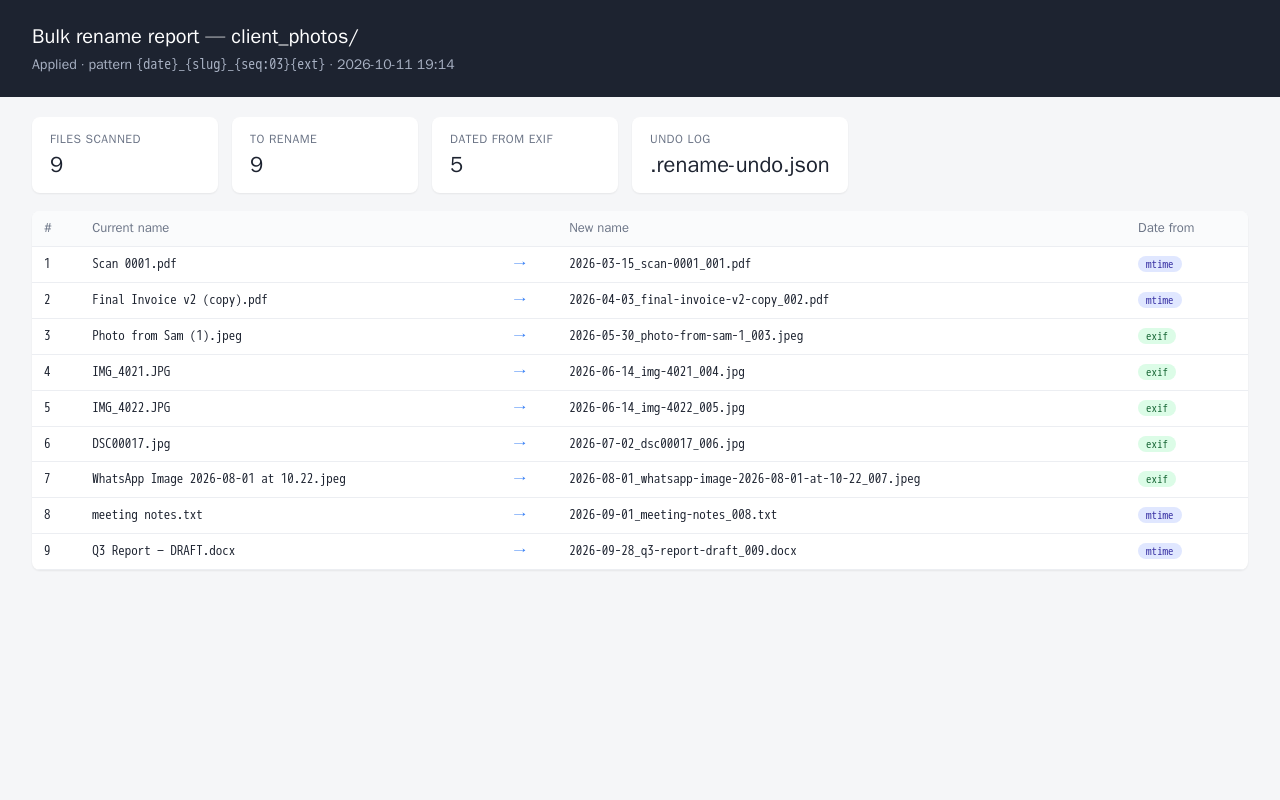
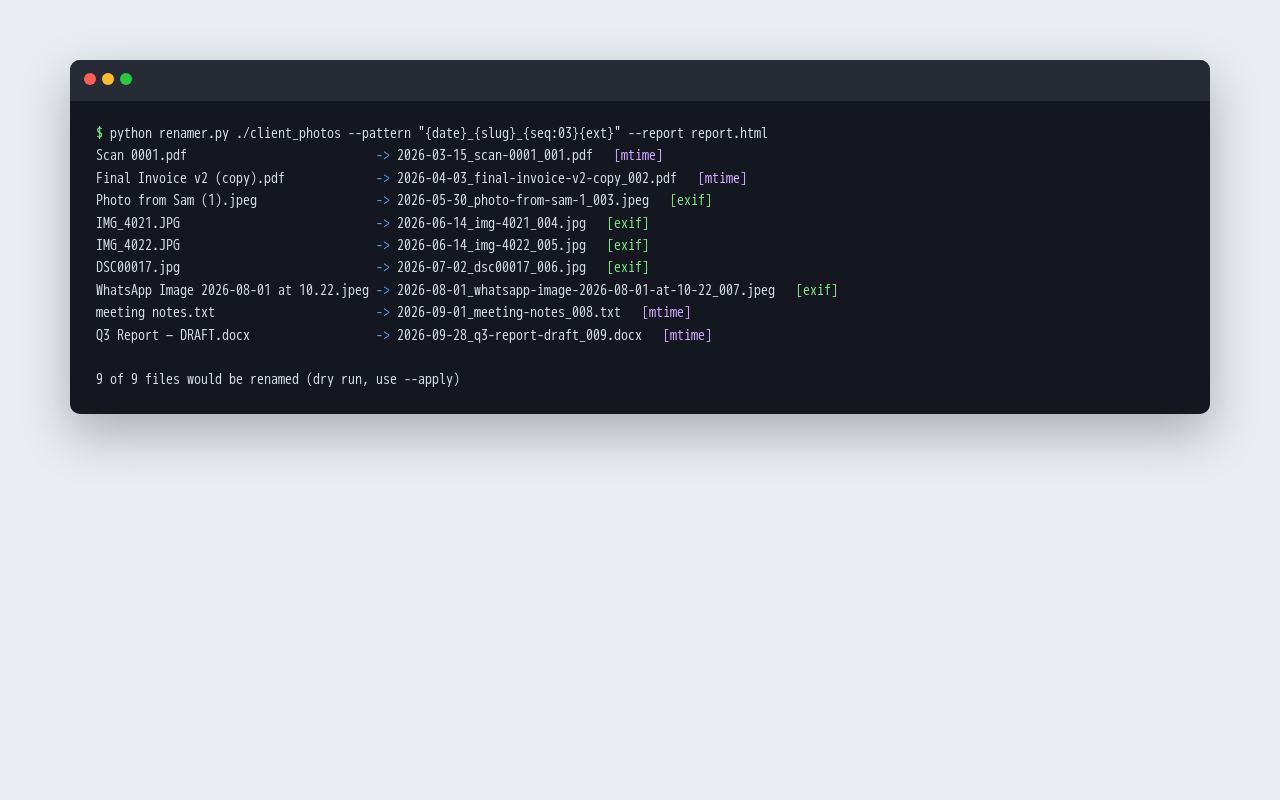
Python CLI that renames a messy folder of photos and documents to a consistent date_slug_sequence pattern, dating photos from EXIF or modified time. Previews unless --apply is passed, prevents name collisions, writes an undo log and an HTML report.
Python 3.12, Pillow, HTML report
About the screenshots: The HTML report and dry-run output from a run on a sample folder.
The habits that keep this kind of project from going wrong.
We walk through the job as it is done today, with real files, before writing the script.
Scripts check their inputs and outputs and alert someone when something is wrong, rather than producing a half-right file.
Scripts are deployed to a server or cloud account in your name, not left on a laptop.
Plain, commented Python with tests, so another developer can pick it up.
You know what you're getting before work begins, and you see it working at every milestone.
Tell us what you need in your own words, and which tools you already use. A few lines is plenty to start.
We reply with a short written scope: what gets built, what is out of scope, which accounts we need, and how we'll both know it works. You know what you're getting before work begins.
The work is split into milestones. At each one you see it working in your own account and sign it off before we go on.
You get the working system, its documentation and a walkthrough. If anything we built breaks in the next 30 days, we fix it at no charge.
Pushbuild has built software for businesses since 2010, for more than 40 clients. Every project is led by a former public-company CTO, from Groton, Massachusetts. See products we've built.
Wherever suits the job: a cloud account in your name, a server you already have, or your team's computers. Running costs, if any, are in the scope before you agree.
No. You get a button, a command or a schedule, plus instructions written for the person who will use it.
You do. It goes into a repository you own.
You do, in your company's name, because the certificate identifies the publisher. We help with the steps and do the signing setup.
Most scripts take a few days to two weeks from the signed scope.
For 30 days we fix anything we built that does not work as the scope describes, at no charge. After that, any further work is agreed in writing before we touch it.
Email a few lines about what you want and which tools you use, or call. We reply with questions or a written scope.
hello@pushbuild.com