Pushbuild

Shopify apps for what the app store can't do.

We build private Shopify apps and integrations: inventory and order sync with your ERP or warehouse, order messages and checks, admin tools for your team, and checkout and admin extensions.

Tell us what you needSee typical projects

A written scope before we start, so you know what you're getting before work begins.

Sound familiar?

What we hear from businesses before a project like this starts.

  • Our warehouse says one stock number and Shopify says another, and we oversell every week.
  • Someone re-types every order into our ERP or QuickBooks each morning.
  • We've tried four app-store apps and none of them does quite what we need.
  • Cash-on-delivery orders get refused at the door because nobody confirmed them first.
  • We need a button in the Shopify admin that does one specific job for our team.

What buyers usually need

The requests that come up most often for this kind of work, and what each one takes to work properly.

01

Order confirmations over WhatsApp or SMS

A private app that listens for new orders, messages the customer through the official WhatsApp Cloud API or Twilio, and tags the order with their answer.

02

Shopify, payments and accounting in step

Orders, payouts and fees posted to QuickBooks or Xero so they reconcile, plus a clean-up of the backlog.

03

Stock synced with the warehouse or 3PL

Inventory pulled per SKU and location on a schedule, orders pushed as they are paid, tracking written back.

04

A logistics or booking integration

Shopify connected to a courier, a booking system or a service-scheduling tool through their APIs.

05

A payment method Shopify doesn't offer

Checked against Shopify's rules for payment providers first; often a supported provider or a manual method is the right answer.

06

Rules at checkout

Minimum quantities, B2B prices, delivery-date fields and order validation, using Shopify Functions and checkout extensions.

Tools that come up most: Shopify Admin API, webhooks, WhatsApp Cloud API, Twilio, QuickBooks, Xero, ShipStation, ShipBob, Meta pixel and Conversions API.

What you get

Concrete pieces, each one something you can open and check when it's done.

Shopify ordersERP or 3PLStock levelsWhatsApp or SMSOrder webhooksAdmin actionsPrivate Shopify appbuilt by Pushbuild

Private apps for your store

An app installed only on your store, doing one job well: no monthly app-store fee and no features you don't use.

Shopify Admin API, GraphQL, webhooks

Inventory and order sync

Stock levels, orders, fulfilments and tracking kept in step between Shopify and your ERP, 3PL or warehouse system.

ShipBob, ShipStation, NetSuite, Cin7, custom ERPs

Order messages and checks

Confirmation, verification and delivery messages sent from order events, with the reply written back to the order.

WhatsApp Cloud API, Twilio, email

Checkout and admin extensions

Fields, messages and rules at checkout, and actions or blocks inside the Shopify admin.

Checkout UI extensions, admin UI extensions, Shopify Functions

Pricing and order rules

Discounts, B2B prices, bundles and order validation written as Shopify Functions, so they run inside Shopify itself.

Shopify Functions, metafields, metaobjects

Reports and exports

Scheduled exports of orders, payouts and inventory to Sheets, a database or your accounting system.

Bulk operations API, Google Sheets, SFTP

Typical projects

Example packages to show the shape of the work. These are examples, not past clients; yours gets its own written scope.

Example package

3PL inventory and fulfilment sync

Stock levels pulled from your warehouse on a schedule, orders sent to it as they are paid, and tracking numbers written back to Shopify.

You get

  • Inventory sync per SKU and location
  • Order push with retry and an error log
  • Tracking and fulfilment written back to Shopify
  • An alert email when a sync fails

Example package

Order confirmation over WhatsApp

Each new cash-on-delivery order gets a WhatsApp message asking the customer to confirm; the answer tags the order.

You get

  • Private app listening for new orders
  • Approved WhatsApp message templates
  • Confirmed, cancelled and no-reply tags on orders
  • A daily summary of confirmations

Example package

Orders into your ERP or accounting

Every paid order created in your ERP or accounting system with the right customer, items, tax and shipping.

You get

  • Field mapping agreed in writing
  • Order creation within minutes of payment
  • Refunds and cancellations handled
  • A daily summary of what was sent and what failed

Example package

Admin action for your team

A button inside the Shopify order or product page that does one specific job: print a custom pick slip, request a review, flag for a supplier.

You get

  • Admin UI extension on the pages you choose
  • The backing private app, installed on your store
  • Permissions limited to what it needs
  • Docs for your team on using it

Example projects

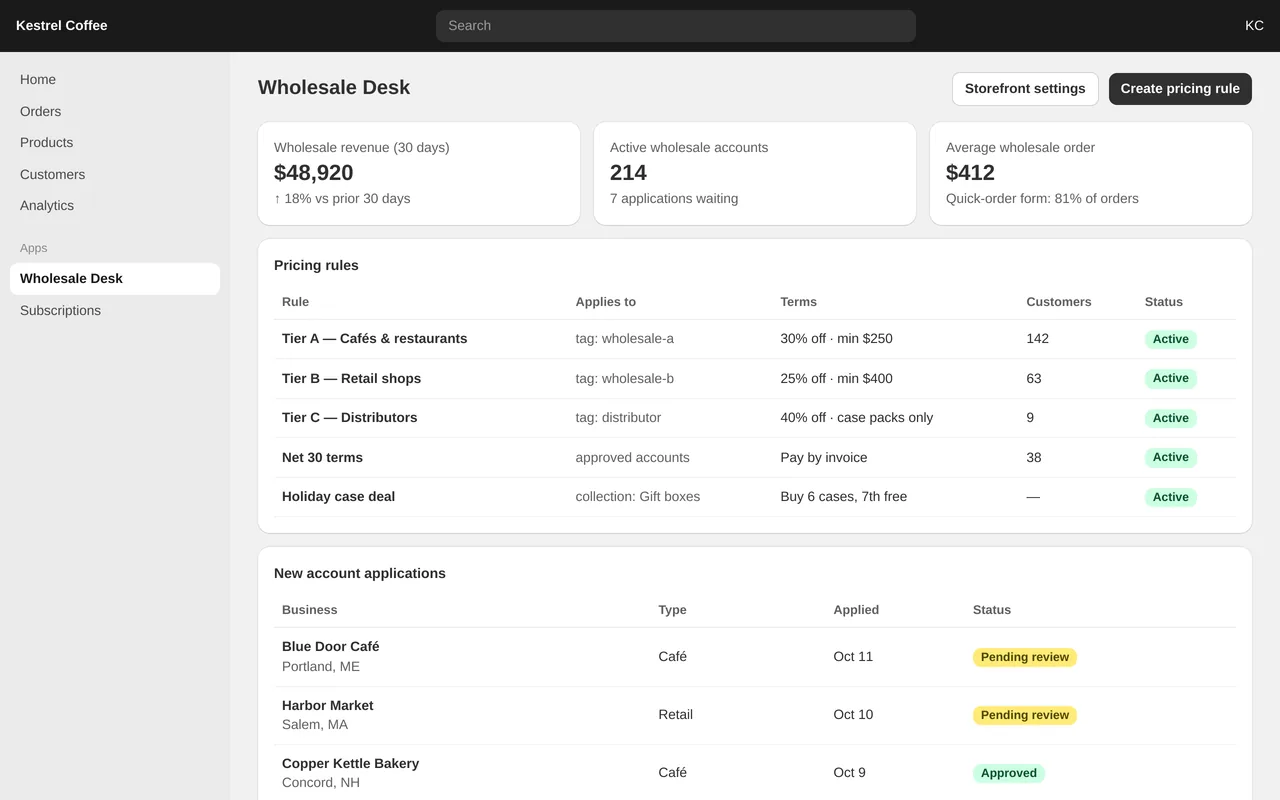
Wholesale ordering app for a Shopify coffee brand (custom Shopify app)

Wholesale ordering app for a Shopify coffee brand (custom Shopify app)

Kestrel Coffee was taking café and retail orders by email and keying them into Shopify by hand. We built an embedded Shopify app that runs wholesale from the store: businesses apply for an account, staff approve them into a pricing tier, and approved buyers log in to a quick-order form with their own prices, minimums and Net 30 invoicing. Retail shoppers never see wholesale prices.

  • Embedded admin app (Polaris) with tiered pricing rules, minimums and case deals
  • Account applications with approve/decline and automatic customer tagging
  • Storefront quick-order form via a theme app extension, with reorder and a PDF price list
  • Net 30 invoice checkout for approved accounts

Shopify App (Remix), Polaris, Admin GraphQL API, Shopify Functions (discounts), theme app extension, PostgreSQL


Sample build

A working example we built to show this kind of work. It is a demonstration, not a client project.

Shopify orders to Google Sheets sync

Sample build

Shopify orders to Google Sheets sync

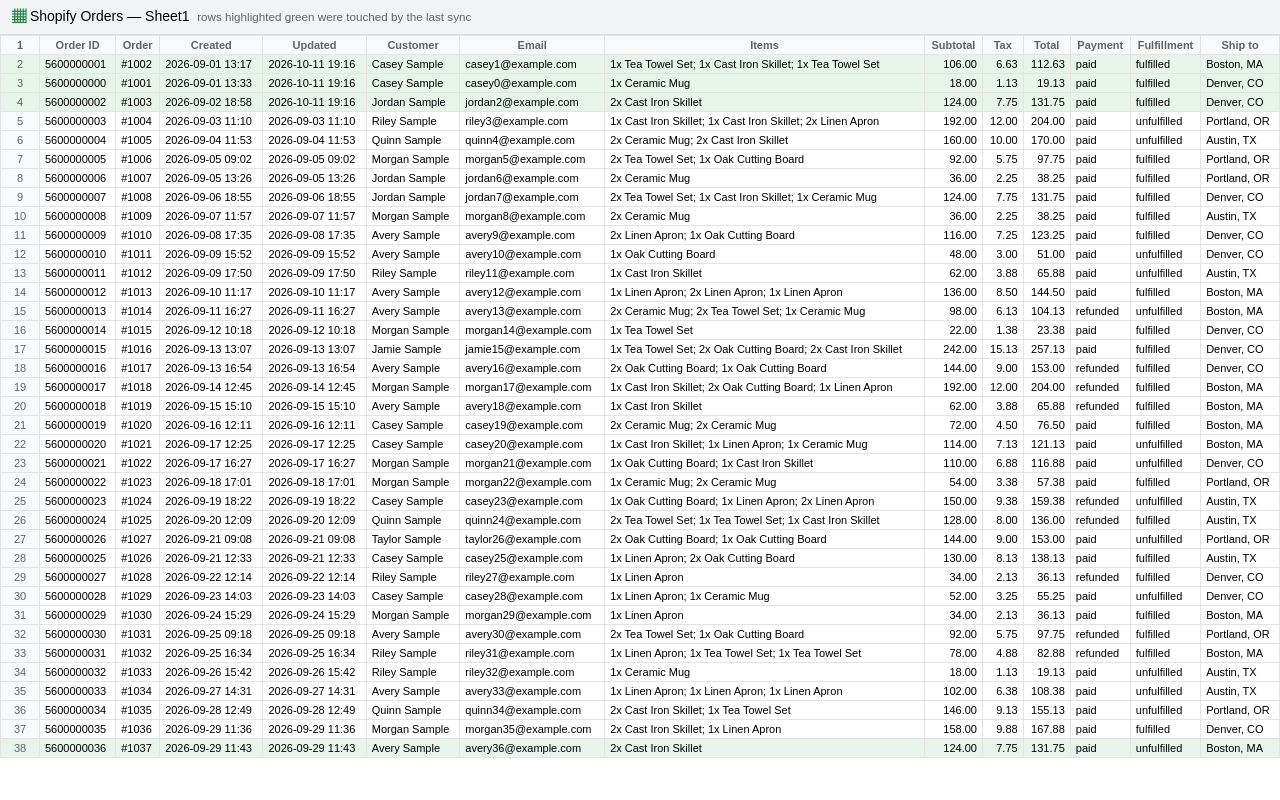
Node app that pulls orders from the Shopify Admin API with cursor pagination and retry, then upserts one row per order into a Google Sheet. Incremental by updated_at, so edited orders update their existing rows. Demo runs against a mock store.

Node.js 20, Shopify Admin REST API, Google Sheets API v4, Docker

About the screenshot: The resulting Google Sheet, from a run against a mock store with demo data.

How we approach it

The habits that keep this kind of project from going wrong.

1

Check what Shopify already does

Before writing an app we check Shopify's own features and its rules. Some requests are a setting; some, like custom payment gateways, are not allowed for private apps.

2

Webhooks, with a safety net

Apps react to Shopify events as they happen, and a scheduled check catches anything a webhook missed.

3

Least access

The app asks only for the permissions the scope needs, and its keys live in your hosting account.

4

Current API versions

We build on a supported Shopify API version and note in the handover when it is due to be updated.

How we work

You describe it. We write it down, build it, and hand it over.

  1. You describe it

    Tell us what you need in your own words, and which tools you already use. A few lines is plenty to start.

  2. A written scope

    We reply with a short written scope: what gets built, what is out of scope, which accounts we need, and how we'll both know it works. You know what you're getting before work begins.

  3. Milestones you review

    The work is split into milestones. At each one you see it working in your own account and sign it off before we go on.

  4. Handover and a 30-day fix window

    You get the working system, its documentation and a walkthrough. If anything we built breaks in the next 30 days, we fix it at no charge.

What shapes the scope

  • Which system we are connecting to, and how good its API is
  • How many SKUs, locations and order types
  • Whether you are on Shopify Plus (needed for some checkout changes)
  • Whether data has to flow one way or both ways

Always included

  • A written scope before work starts
  • Milestones you review and sign off
  • Documentation and a walkthrough at handover
  • A 30-day window for fixes, at no charge

Pushbuild has built software for businesses since 2010, for more than 40 clients. Every project is led by a former public-company CTO, from Groton, Massachusetts. See products we've built.

Questions people ask first

Do you need my Shopify password?

No. We send a collaborator request from our Shopify Partner account, and you choose which permissions to grant. You can remove the access at any time.

Who owns the app and its code?

You do. The app is created on your store, the code goes into a repository you own, and the hosting is set up in your name.

Where does the app run, and what does that cost?

Most private apps need a small server or serverless account. We set it up in your name and tell you the expected monthly running cost in the scope, before you agree.

Do you build themes or whole stores?

Theme and page changes are a separate service: see Shopify theme customization. This page is about apps and integrations.

How long does it take?

Most projects take one to three weeks from the signed scope. Integrations with an ERP or 3PL depend on getting API access from that vendor, so we ask for that first.

What happens if Shopify changes its API?

For 30 days after handover we fix anything we built at no charge. Shopify versions its API and gives notice before old versions retire; when an update is needed later, we scope it with you first.

Tell us what you need built.

Email a few lines about what you want and which tools you use, or call. We reply with questions or a written scope.

hello@pushbuild.com

(617) 299-8887