Pushbuild

Your Shopify theme, changed properly.

We customise Shopify themes in Liquid: new sections your team can edit, landing pages built from your designs, product page improvements, and fixes for speed and broken pages. Changes are made on a copy of your theme and published when you approve them.

Tell us what you needSee typical projects

You describe it. We build it.

Sound familiar?

What we hear from businesses before a project like this starts.

  • We have designs for new pages and nobody to build them into our theme.
  • The product page needs things the theme editor just doesn't offer.
  • Every app we add makes the store slower.
  • Someone edited the theme code a year ago and now the cart breaks on mobile.
  • We need landing pages for campaigns that the marketing team can edit themselves.

What buyers usually need

The requests that come up most often for this kind of work, and what each one takes to work properly.

01

A landing page built from a design or a reference

Built as theme sections, so the copy and images can be changed in the theme editor without code.

02

Product page improvements

Size guides, bundles, variant images, trust blocks and tabbed details, added as sections and blocks.

03

Designs implemented into the existing theme

Figma or reference pages built into your current theme rather than a full rebuild.

04

Speed optimisation

Unused app code removed, images and scripts loaded properly, and Core Web Vitals measured before and after.

05

Checkout and theme fixes

Broken carts, layout bugs and errors after an app was removed, found and repaired.

06

Bilingual and right-to-left stores

Translations and RTL layout for languages such as Arabic, using Shopify Markets and theme settings.

Tools that come up most: Shopify Liquid, Online Store 2.0 sections and blocks, Dawn and premium themes, Figma, Shopify Markets, Meta pixel, GA4.

What you get

Concrete pieces, each one something you can open and check when it's done.

Figma designLanding pagesCurrent themeProduct pagesProduct dataFaster storeLiquid sectionsbuilt by Pushbuild

Custom sections and blocks

New sections your team can add, move and edit in the theme editor, with settings for text, images and colours.

Liquid, JSON templates, section schema

Landing pages

Campaign and product landing pages built as reusable templates.

Page templates, metafields

Product page changes

Variant logic, bundles, size guides, tabs and badges driven by metafields, not hard-coded per product.

Metafields, metaobjects, Liquid

Speed work

Leftover app code removed, images sized and lazy-loaded, render-blocking scripts deferred.

Lighthouse, Core Web Vitals, theme inspector

Fixes

Cart, layout and JavaScript bugs found and repaired, with the cause written down.

Theme code, browser dev tools

Tracking that works

Pixel, GA4 and Conversions API events checked and corrected so ads and reports see real orders.

Meta pixel, Conversions API, GA4, customer events

Typical projects

Example packages to show the shape of the work. These are examples, not past clients; yours gets its own written scope.

Example package

Landing page from your design

One landing page built from a Figma file or a reference page, as editable sections.

You get

  • Sections matching the design on desktop and mobile
  • Every text and image editable in the theme editor
  • A saved template for future campaigns
  • A preview link before publishing

Example package

Product page upgrade

The product template rebuilt with the blocks you need: size guide, bundles, tabs, trust badges.

You get

  • New blocks driven by metafields
  • Instructions for filling the metafields
  • Mobile and desktop checked
  • Published on your approval

Example package

Speed clean-up

A measured speed pass on your home, collection and product pages.

You get

  • Before and after measurements
  • Leftover app code removed
  • Images and scripts loading properly
  • A list of apps still costing speed

Example package

Theme fix-up

A list of broken things on the store repaired in one pass.

You get

  • Each issue reproduced and repaired
  • The cause written down for each
  • Tested on mobile and desktop
  • Published on your approval

Example projects

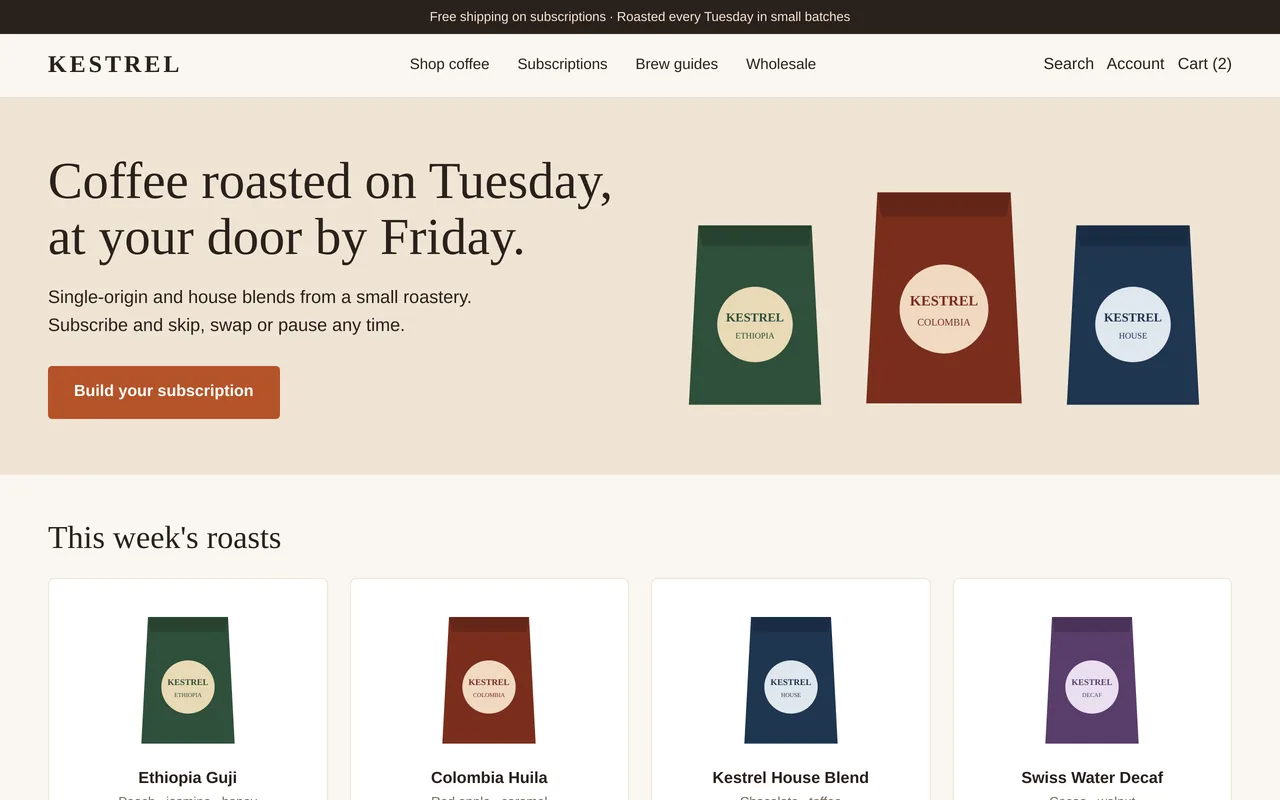
Shopify theme for a small-batch coffee roaster

Shopify theme for a small-batch coffee roaster

Kestrel Coffee wanted a store that sells subscriptions first and single bags second. We built a custom Shopify 2.0 theme around the weekly roast: a homepage that leads with the subscription, product pages with size and grind options, a subscribe-and-save choice next to one-time purchase, and roast facts pulled from metafields. Every section can be edited in the theme editor, and the layout is mobile-first.

  • Custom Online Store 2.0 theme (Liquid, JSON templates, editable sections)
  • Homepage with subscription hero and a weekly roast grid
  • Product page with size and grind variants, subscribe-and-save, roast facts from metafields
  • Announcement bar, mobile navigation, fast image loading

Shopify Liquid, Online Store 2.0, metafields, Shopify Subscriptions, JavaScript, CSS

Sample build

A working example we built to show this kind of work. It is a demonstration, not a client project.

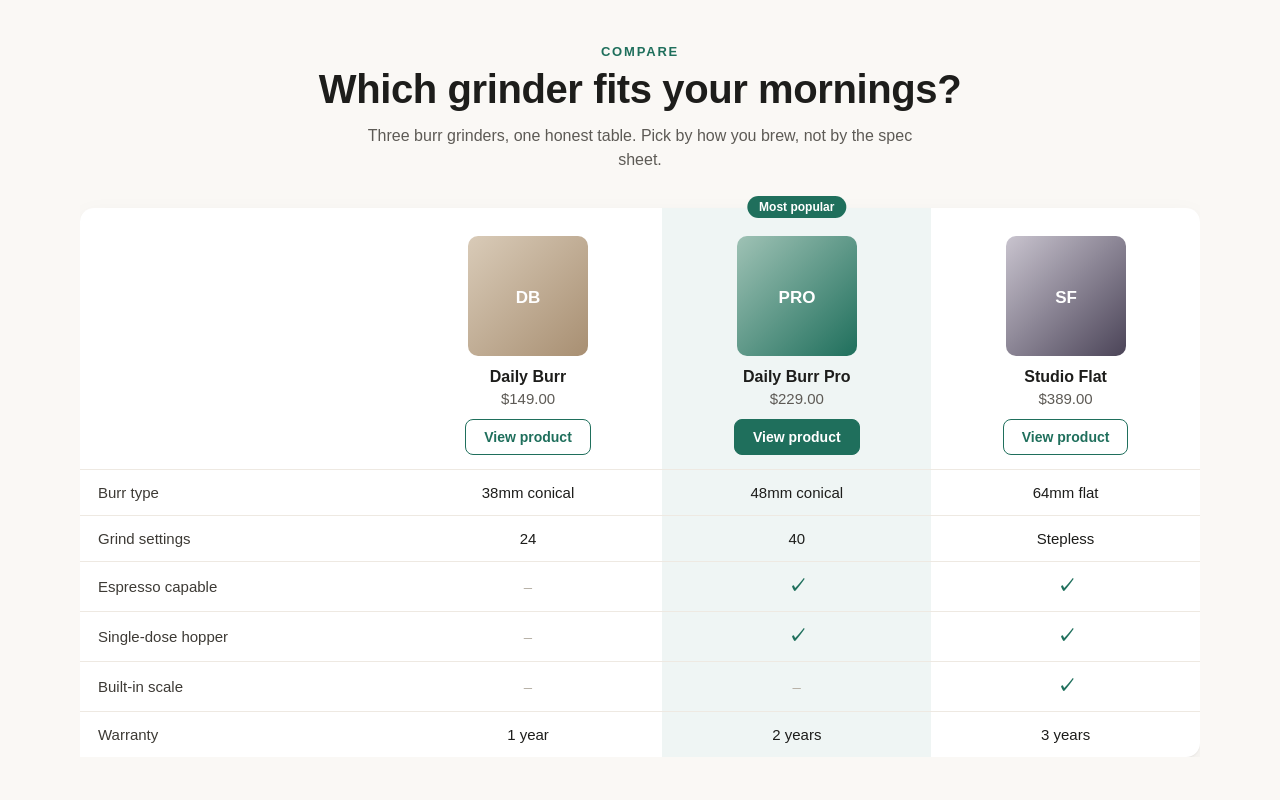
Shopify Product Comparison Section

Sample build

Shopify Product Comparison Section

Online Store 2.0 section where merchants pick up to three products, add feature rows as blocks and highlight one column with a badge. On phones the table scrolls sideways.

Liquid, Shopify section schema, CSS, liquidjs (static preview), Docker

About the screenshot: The section rendered in a static preview, outside a Shopify store.

How we approach it

The habits that keep this kind of project from going wrong.

1

Work on a copy

All changes are made on a duplicate of your live theme and shown on a preview link. Nothing changes for customers until you approve.

2

Editable, not hard-coded

New content is built as sections and blocks with settings, so your team can change it without us.

3

Measure speed, don't guess

Speed work starts and ends with measurements on the same pages, so you can see what changed.

4

Keep theme updates possible

Custom code is kept in its own files where possible, so a future theme update is easier.

How we work

You know what you're getting before work begins, and you see it working at every milestone.

  1. You describe it

    Tell us what you need in your own words, and which tools you already use. A few lines is plenty to start.

  2. A written scope

    We reply with a short written scope: what gets built, what is out of scope, which accounts we need, and how we'll both know it works. You know what you're getting before work begins.

  3. Milestones you review

    The work is split into milestones. At each one you see it working in your own account and sign it off before we go on.

  4. Handover and a 30-day fix window

    You get the working system, its documentation and a walkthrough. If anything we built breaks in the next 30 days, we fix it at no charge.

What shapes the scope

  • How many pages or templates
  • Whether there is a finished design to work from
  • How much the theme has already been modified
  • Apps that need to work with the new pages

Always included

  • A written scope before work starts
  • Milestones you review and sign off
  • Documentation and a walkthrough at handover
  • A 30-day window for fixes, at no charge

Pushbuild has built software for businesses since 2010, for more than 40 clients. Every project is led by a former public-company CTO, from Groton, Massachusetts. See products we've built.

Questions people ask first

Do you need my Shopify password?

No. We send a collaborator request from our Shopify Partner account, and you choose the permissions. You can remove it at any time.

Will my live store be affected while you work?

No. We work on a duplicate theme with a preview link, and publish only when you approve.

Do you build whole stores?

Our focus is changing and fixing existing themes. For a new store we can build on a theme you have chosen; we will tell you in the scope if a full build is better done another way.

Who owns the code?

You do. It lives in your theme, and we can also put it in a repository you own.

How long does it take?

Most theme jobs take a few days to two weeks from the signed scope, depending on the number of pages.

What if something breaks after an app update?

In the 30 days after handover we fix anything we built at no charge. After that, we scope any further work with you first, so there are no surprises.

Tell us what you need built.

Email a few lines about what you want and which tools you use, or call. We reply with questions or a written scope.

hello@pushbuild.com

(617) 299-8887