
Pushbuild

AccuLynx connected to your leads, photos and books.

We connect AccuLynx to the tools around it, so a storm lead becomes a job quickly, milestones trigger the messages and tasks you want, and the owner sees the pipeline without building it by hand. The scope is written down and agreed before we start.

Tell us what you needSee example projects

Sound familiar?

What roofers on AccuLynx tell us before a project starts.

  • Leads from ads and door-knocking get typed in late or not at all.
  • Nobody sends the customer an update when a job moves to the next milestone.
  • Production and sales numbers are rebuilt in a spreadsheet every Monday.
  • Photos live in one app and the job file in another.
  • Accounting needs the same job details we already entered.

What we build

Each one is a working piece you can open and check when it's done.

Lead to job in AccuLynx

Web, ad and call leads created as contacts and jobs with the source attached, and a text sent to the homeowner within a minute.

API integrations and data sync GoHighLevel setup

Milestone messages

A text or email to the homeowner when the job reaches a milestone you choose, such as contract signed, materials ordered or crew scheduled.

n8n, Make and Zapier automation

Pipeline and production view

Jobs by milestone, rep and source, with age in each stage, on one page the office checks each morning.

Dashboards and reporting

Estimate and contract chasing

Open estimates tracked by age, with reminders to the rep and a polite sequence to the homeowner.

n8n, Make and Zapier automation CRM setup and lead pipelines

Job details to accounting

Signed job details and invoices passed to your books, with mismatches listed for the office.

QuickBooks, Xero and HubSpot integrations

Photos filed to the job

Photos from the field filed under the right job, named the same way each time, ready for the adjuster.

Python scripts and utilities

What we connect it to: CompanyCam, JobNimbus, GoHighLevel, QuickBooks, Google Sheets, Twilio, Zapier.

Industries that use it: Roofing, Solar, Remodeling.

Example projects

Illustrations of the shape of the work, not past clients. Yours gets its own written scope.

Example project

Milestone text to the homeowner

Example: a roofing company wants the homeowner texted when the job reaches the production stage, with the crew start date included.

AccuLynx, Zapier, Twilio

Example project

Monday pipeline sheet

Example: a roofer wants jobs by milestone and rep pulled into one sheet each Monday, so the sales meeting starts from numbers instead of memory.

AccuLynx, Google Sheets

Example project

Storm lead intake

Example: a roofer running ads after hail wants every lead created in AccuLynx with the ad source and assigned by zip code.

Ad forms, GoHighLevel, AccuLynx
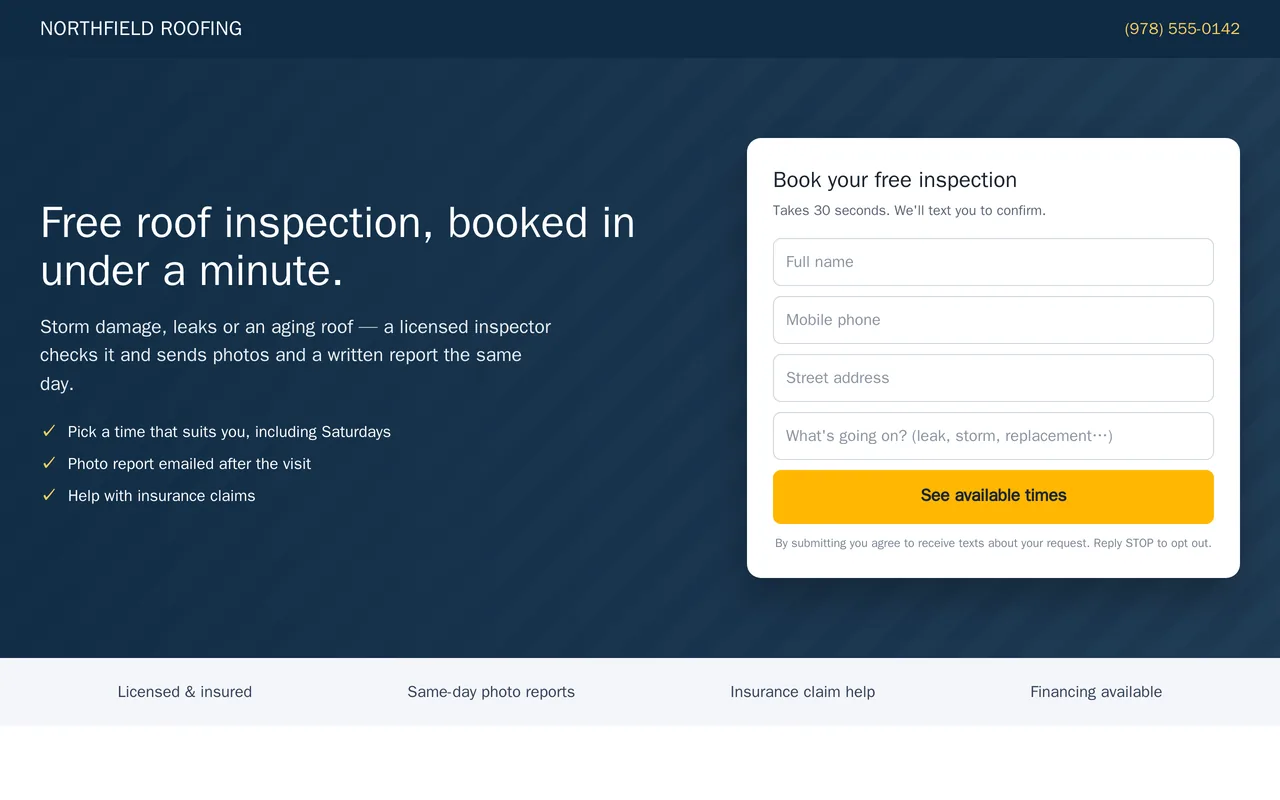
Lead-to-booking system for a roofing company (GoHighLevel)

Example build

Lead-to-booking system for a roofing company (GoHighLevel)

  • Inspection landing page and form (desktop and mobile)
  • Speed-to-lead workflow: instant SMS, rep alert, booking link, quiet hours
  • Booked / no-response branches with reminders and a 7-day nurture
  • Residential Roofing pipeline with stages from new lead to won

GoHighLevel workflows, opportunities, calendars, forms, SMS and email

Questions people ask first

Do we have to change how we use AccuLynx?

No. We work around the way your office already uses it. If something you want can't be done from outside the software, we say so in the written scope before anything starts.

Can you connect AccuLynx to our other tools?

Yes. AccuLynx has a Zapier app and webhook notifications for job and status changes, and some API access is arranged with AccuLynx directly. We confirm what your account can use before we write the scope.

Who owns what you build?

You do. It is built in your own accounts, and you get notes on how it works so your office can change it without us.

How do we start?

Tell us what you use around AccuLynx and the one job that wastes the most time each week. We reply with questions or a written scope.

Tell us what you need built.

Email a few lines about what you want and which tools you use, or call. We reply with questions or a written scope.

hello@pushbuild.com

(617) 299-8887