
Example build
What this kind of build looks like when it's done.
Example build
Page Insights Chrome extension (MV3)
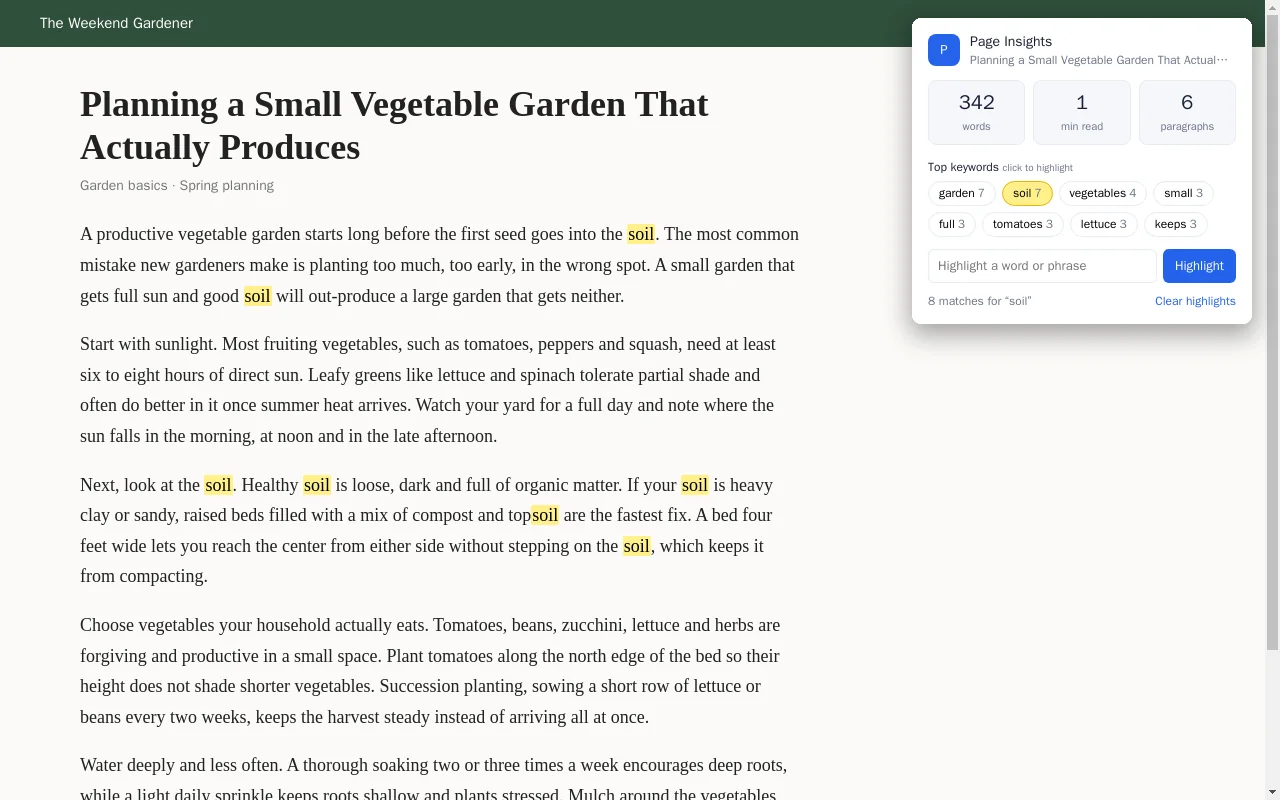
Toolbar popup that shows a page's word count, reading time and top keywords, and highlights any keyword or phrase with one click. Right-clicking a selection shows its word count on the toolbar badge.
Chrome Manifest V3, JavaScript, chrome.scripting, service worker
About Pushbuild

Helping businesses since 2010. We build automations, integrations and custom software, and we stay with each project until it runs on its own.
How a project runs
- You tell us what you need. Use the form or the chat, and add files or links if they help.
- You get a written scope within 20 minutes. What we will build, the milestones and the quote, in plain words.
- You approve the scope before we build. Nothing starts until you say so.
- We start small. The first milestone is one working piece you can check, then we build on it.
- You own the code and the data. You see each change before it goes live, at milestones you review.
- We hand it over. The source code and the notes are yours, and the agreement includes a 30-day fix window.
Where we go deep
Your data and access
- You own the code and the data.
- You control what we can see and do, and every action is logged.
- You approve the scope before we build, and the agreement includes a 30-day fix window.
What it looks like
Automation
- Check the answers
- Add a row to your sheet
- Post it to your team
- Send a confirmation
Forms handled
47
- Row added
- Team told
- Confirmation sent
Questions people ask first
Can it be private to our company?
Yes. It can be installed only for your Google Workspace users, or shared as an unlisted store item.
Does it work on Edge or Firefox?
Edge runs Chrome extensions with little or no change. Firefox needs some changes; we say in the scope if it's included.
Who owns the extension?
You do. The code is in a repository you own, and any store listing is under your developer account.
What if the website it works on changes?
In the 30 days after handover we fix it at no charge. After that, further work is scoped the same way and agreed with you before we start.
How long does it take?
Most extensions take one to three weeks from the signed scope, plus store review time if it is published.
Is store approval guaranteed?
No, Google decides. We build to the store's policies and handle the submission, and fix anything the reviewers ask for.
Can you test and finish an extension someone else started?
Yes. We read the code, test it on the real sites, list what is missing or broken and agree the finishing work with you before we start.
Can you check the extension's security?
We review the permissions, the messages between parts and the calls to your API, and give you a list to act on. A formal penetration test needs a specialist firm, and we will say so.
Tell us about your project
A written scope and quote within 20 minutes.